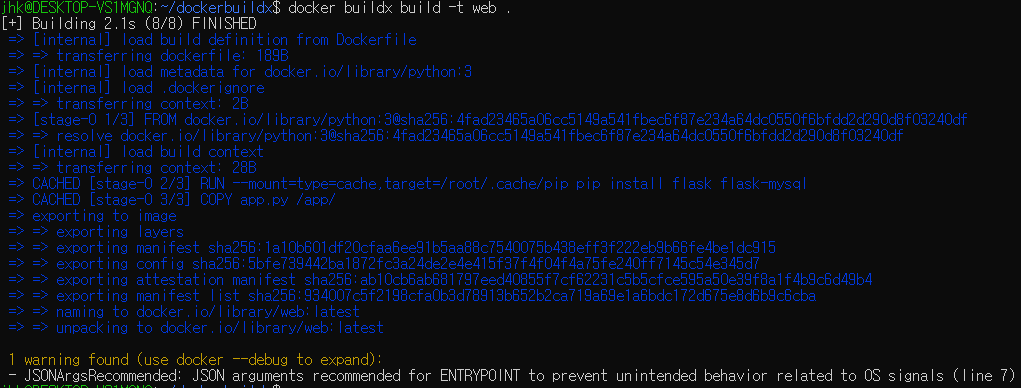
docker run
docker run nginx
Unable to find image 'nginx:latest' locally
latest: Pulling from library/nginx
746b934a8960: Pull complete
7eb55399d6de: Pull complete
5d480233f531: Pull complete
5508f6432d3e: Pull complete
128fcc7b23b0: Pull complete
f530c3e421fc: Pull complete
3976f7b8a9d7: Download complete
81dd0279e705: Download complete
Digest: sha256:8f029c543423e3eac6b08254718bc31eb75633b1e448026b6616927baa7d4bfe
Status: Downloaded newer image for nginx:latest
/docker-entrypoint.sh: /docker-entrypoint.d/ is not empty, will attempt to perform configuration
/docker-entrypoint.sh: Looking for shell scripts in /docker-entrypoint.d/
/docker-entrypoint.sh: Launching /docker-entrypoint.d/10-listen-on-ipv6-by-default.sh
10-listen-on-ipv6-by-default.sh: info: Getting the checksum of /etc/nginx/conf.d/default.conf
10-listen-on-ipv6-by-default.sh: info: Enabled listen on IPv6 in /etc/nginx/conf.d/default.conf
/docker-entrypoint.sh: Sourcing /docker-entrypoint.d/15-local-resolvers.envsh
/docker-entrypoint.sh: Launching /docker-entrypoint.d/20-envsubst-on-templates.sh
/docker-entrypoint.sh: Launching /docker-entrypoint.d/30-tune-worker-processes.sh
/docker-entrypoint.sh: Configuration complete; ready for start up
2026/08/23 02:22:41 [notice] 1#1: using the "epoll" event method
2026/08/23 02:22:41 [notice] 1#1: nginx/1.31.4
2026/08/23 02:22:41 [notice] 1#1: built by gcc 14.2.0 (Debian 14.2.0-19)
2026/08/23 02:22:41 [notice] 1#1: OS: Linux 5.10.16.3-microsoft-standard-WSL2
2026/08/23 02:22:41 [notice] 1#1: getrlimit(RLIMIT_NOFILE): 1024:524288
2026/08/23 02:22:41 [notice] 1#1: start worker processes
2026/08/23 02:22:41 [notice] 1#1: start worker process 30
2026/08/23 02:22:41 [notice] 1#1: start worker process 31
2026/08/23 02:22:41 [notice] 1#1: start worker process 32
2026/08/23 02:22:41 [notice] 1#1: start worker process 33
docker run ubuntu : stops immediately
No process or application running in it by default.
Once the task is complete, the container exits;
A container lives as long as the process inside it is alive
docker run ubuntu sleep 5 : sleep for 5sec execution then exits
docker run redis:7.4(name:tag(default : latest)
docker run -i(interactive) kodekloud/simple-prompt-docker : for standard input;piping data into the container

docker run -i(interactive)t(attach to container's terminal) kodekloud/simple-prompt-docker : for standard input

docker run -t alpine ls --color=always : pretty formatting inside the container terminal

docker run -p 80:5000 kodekloud/webapp : Map host port(80) to container port(5000)
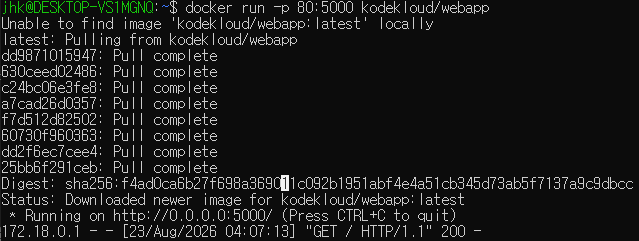
docker run -p 8000:5000 kodekloud/webapp
docker run -p 8001:5000 kodekloud/webapp
docker run -p 3306:3306 mysql
docker run -p 8306:3306 mysql
docker run -v /opt/datadir(in host):/var/lib/mysql(in container) mysql
docker run --mount type=bind,source=/opt/datadir,target=/var/lib/mysql mysql
docker ps
docker ps
CONTAINER ID IMAGE COMMAND CREATED STATUS PORTS NAMES
e932fbef33bd nginx "/docker-entrypoint.…" 2 minutes ago Up 2 minutes 80/tcp elegant_proskuriakova
docker ps -a
CONTAINER ID IMAGE COMMAND CREATED STATUS PORTS NAMES
e932fbef33bd nginx "/docker-entrypoint.…" 4 minutes ago Up 4 minutes 80/tcp elegant_proskuriakova
b5fdbf58e529 hello-world "/hello" 4 weeks ago Exited (0) 4 weeks ago sad_cannon
docker stop
docker stop elegant_proskuriakova(image name, or container id)
elegant_proskuriakova
2026/08/23 02:28:27 [notice] 1#1: signal 3 (SIGQUIT) received, shutting down
2026/08/23 02:28:27 [notice] 31#31: gracefully shutting down
2026/08/23 02:28:27 [notice] 30#30: gracefully shutting down
2026/08/23 02:28:27 [notice] 30#30: exiting
2026/08/23 02:28:27 [notice] 31#31: exiting
2026/08/23 02:28:27 [notice] 30#30: exit
2026/08/23 02:28:27 [notice] 31#31: exit
2026/08/23 02:28:27 [notice] 32#32: gracefully shutting down
2026/08/23 02:28:27 [notice] 33#33: gracefully shutting down
2026/08/23 02:28:27 [notice] 33#33: exiting
2026/08/23 02:28:27 [notice] 32#32: exiting
2026/08/23 02:28:27 [notice] 33#33: exit
2026/08/23 02:28:27 [notice] 32#32: exit
2026/08/23 02:28:27 [notice] 1#1: signal 17 (SIGCHLD) received from 33
2026/08/23 02:28:27 [notice] 1#1: worker process 33 exited with code 0
2026/08/23 02:28:27 [notice] 1#1: signal 29 (SIGIO) received
2026/08/23 02:28:27 [notice] 1#1: signal 17 (SIGCHLD) received from 32
2026/08/23 02:28:27 [notice] 1#1: worker process 30 exited with code 0
2026/08/23 02:28:27 [notice] 1#1: worker process 31 exited with code 0
2026/08/23 02:28:27 [notice] 1#1: worker process 32 exited with code 0
2026/08/23 02:28:27 [notice] 1#1: exit
docker ps -a

docker rm
docker rm elegant_proskuriakova
elegant_proskuriakova
docker ps -a
CONTAINER ID IMAGE COMMAND CREATED STATUS PORTS NAMES
b5fdbf58e529 hello-world "/hello" 4 weeks ago Exited (0) 4 weeks ago sad_cannon

docker rm 4b2e e1d5 8eb1

docker images
docker images

docker rmi
docker rmi nginx

must stop and delete all dependent containers
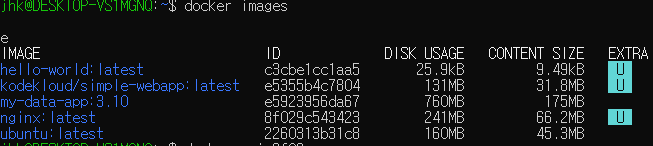
docker rmi 8f02


docker rm 74a5

docker rmi 8f02

docker rmi redis:7.4
docker pull : download only
docker pull ubuntu
docker exec
docker run ubuntu sleep 100
docker ps

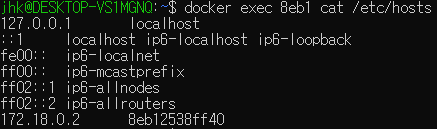
docker exec 83b1(running container id) cat /etc/hosts(specific command)
docker attach
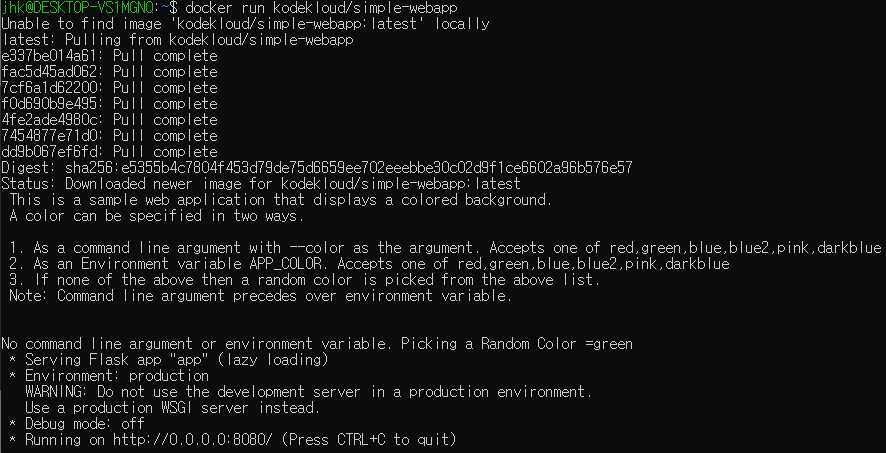
docker run -d kodekloud/simple-webapp : run in detached mode
a18be57e22849d3f9e83d297fbe8289d415010a75503313f18eca410a8780500

docker attach a18b
docker system
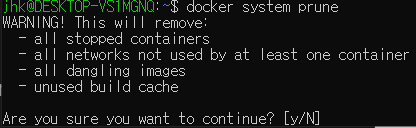
docker system prune
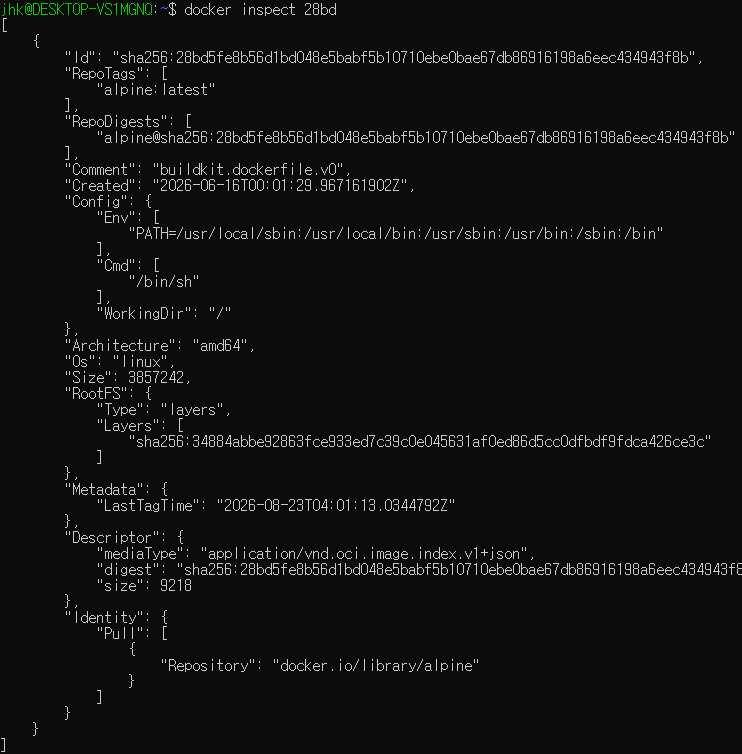
docker inspect name(or, container id)
docker inspect alpine:latest
docker inspect 28bd
docker logs

docker logs 830b

Docker Hub Container Image Library | App Containerization
Software supply chain Secure Your Supply Chain with Docker Hardened Images Use Docker's enterprise-grade base images: secure, stable, and backed by SLAs for Ubuntu, Debian, Java, and more. Regularly scanned and maintained with CVE remediation and long-term
hub.docker.com
https://hub.docker.com/categories/operating-systems
Operating systems | Docker Hub
Operating systems Software that manages all other programs on a computer and serves as an intermediary between users and the computer hardware, while overseeing applications and system resources.
hub.docker.com
docker run alpine
https://hub.docker.com/categories/web-servers
Web servers | Docker Hub
Web servers Software to serve web pages, HTML files, and other assets to users or other systems.
hub.docker.com
docker run -d nginx
docker history
docker history ubuntu:latest

docker build
Dockerfile
FROM ubuntu
RUN apt-get update
RUN apt-get install -y python3-flask
COPY app.py /opt/app.py
ENV FLASK_APP=/opt/app.py
ENTRYPOINT flask run --host=0.0.0.0
docker build -t jhk/flask-custom-app .
docker build --build-arg API_KEY=secretekey -t myapp .
In WLS2 :
sudo mkdir -p /etc/docker
sudo nano /etc/docker/daemon.json
{
"dns": ["8.8.8.8", "1.1.1.1"],
"features": {
"buildkit": true
}
}
Dockerfile
FROM python:3.12-slim-bookworm
RUN apt-get update && \
apt-get install -y build-essential python3-dev && \
rm -rf /var/lib/apt/lists/*
RUN pip install flask
COPY app.py /opt/app.py
ENV FLASK_APP=/opt/app.py
ENTRYPOINT flask run --host=0.0.0.0
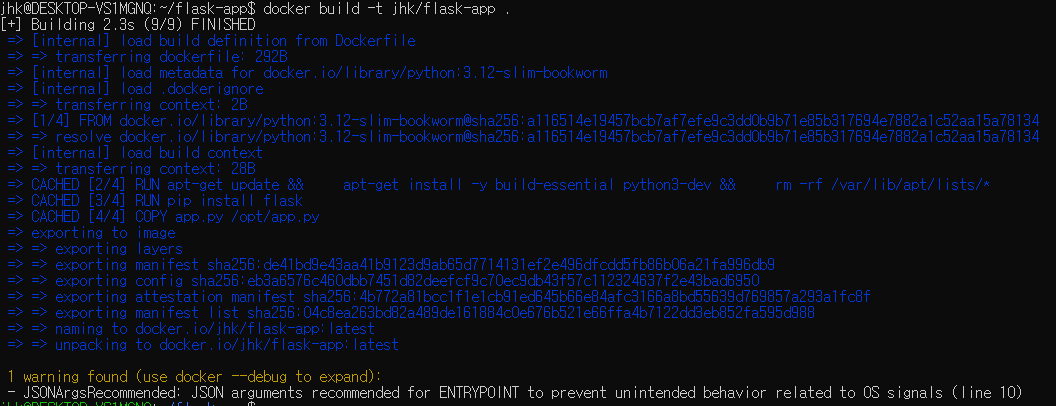
docker buildx
Dockerfile
# syntax-docker/dockerfile:1
FROM python:3
RUN --mount=type=cache,target=/root/.cache/pip \
pip install flask flask-mysql
COPY app.py /app/
ENTRYPOINT ["python". "/app/app.py"]
docker buildx build -t web .
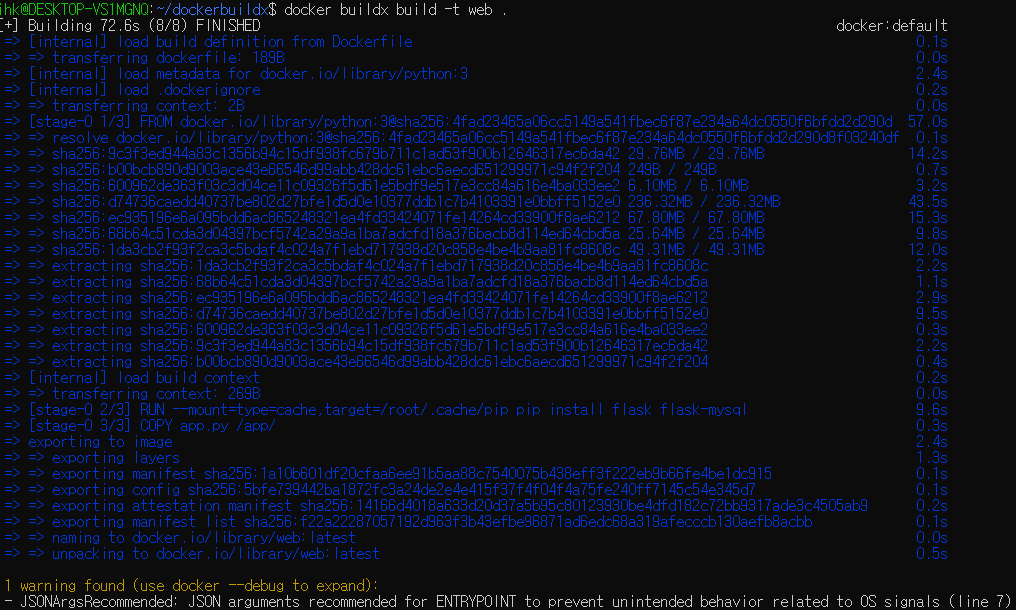
Local cached